earth Feather
earth Feather is a complete office writer built on a PDF architecture. It brings the tools of a powerful, simple designed office writer to your Android and PC. You can transform and write text, add signatures, images, and symbols, and add shadows. Draw lines and arrows, reorder, delete and add pages, remove backgrounds, and much more.
Merging Office with PDF.
Documents written in earth Feather have already been formatted in the universal file format of PDF. While not being just another PDF editor, earth Feather has the capability of a modern text processor. Workers can send documents to their colleagues or students to their teachers, and the documents are always formatted as intended without exporting them to PDF.
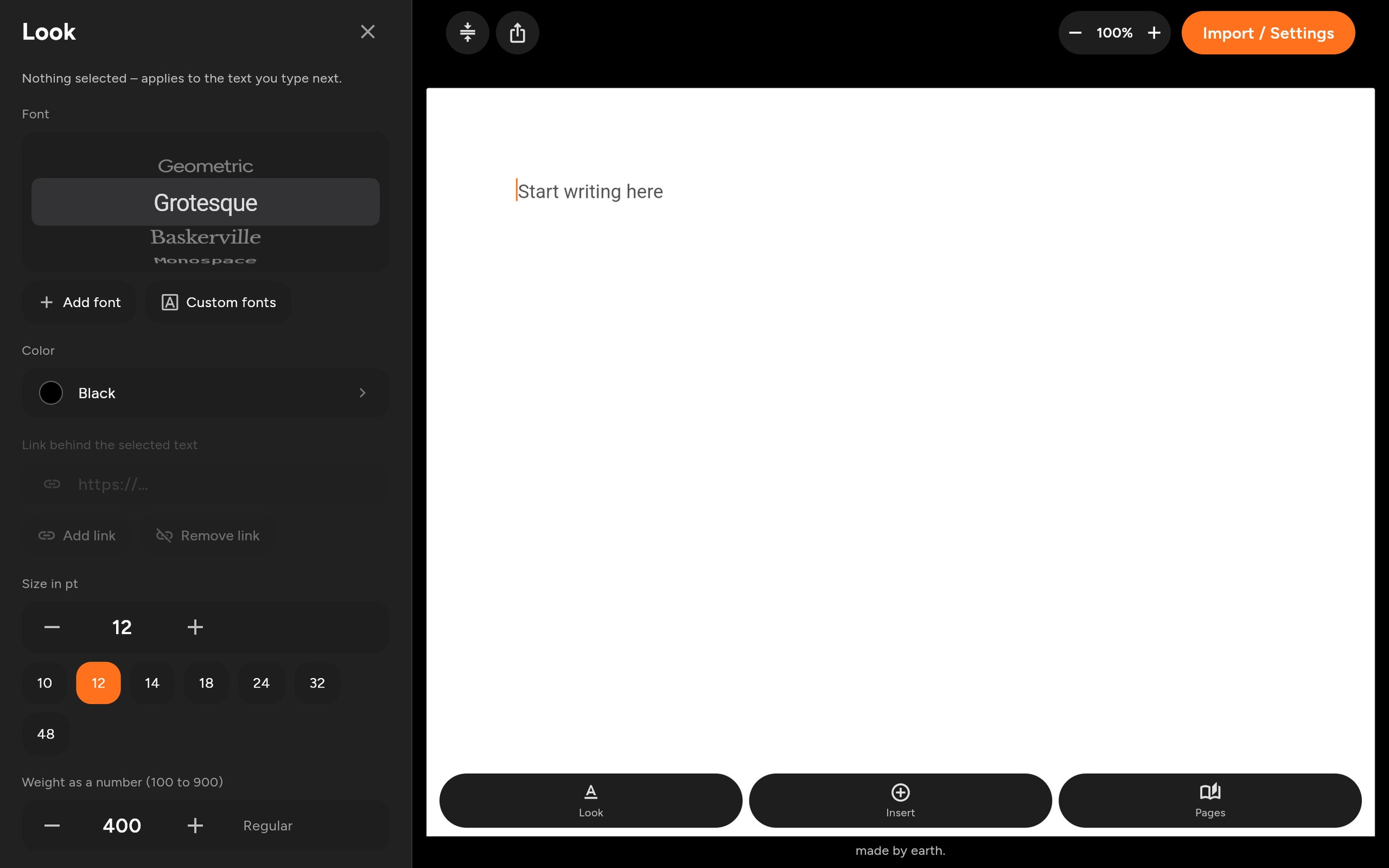
Although everyone has a different opinion, we collected opinions on how to rearrange tools for better findability and a more intuitive use, while not losing functionality. In the end, all tools are ordered in just 5 panels that sit on the side to not take any height from the page.
A powerful word processor.
You can use different font types and add your own, align and format the text in size, weight and spacing, add textboxes and images and even remove backgrounds with a local AI model and much more. Everything gets saved and can be opened again for further editing.
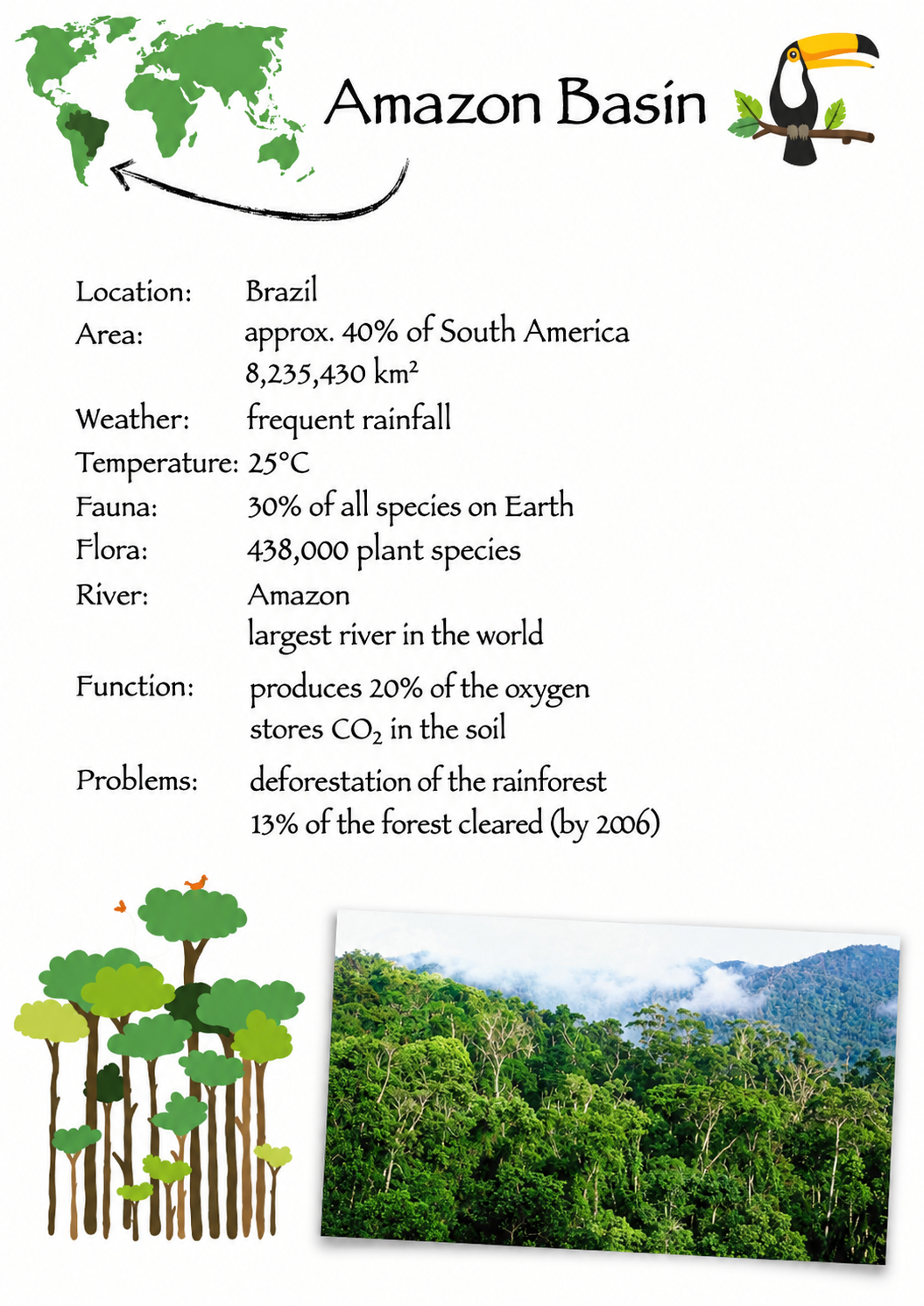
Editing PDFs without limits.
Already existing PDFs can be opened and edited like normal text. Everything in the main text is part of one text without separating each paragraph into a new textbox, as existing PDF editors do. And there are many more tools at a glance: rearranging or deleting PDF pages, adding another PDF document, rotating PDFs, adding page numbers, reading comments, searching words, opening encrypted PDFs, and signing documents.

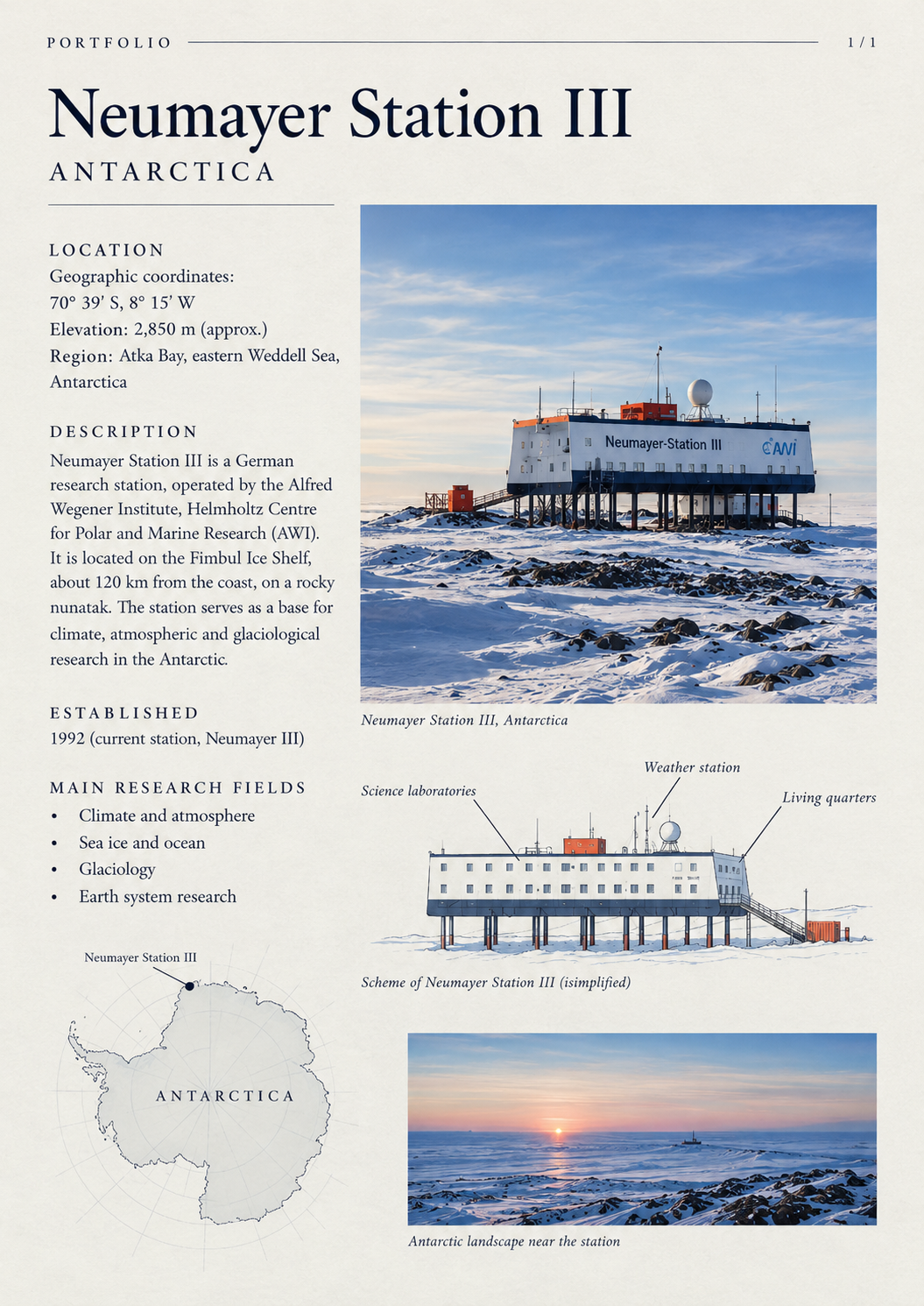
Design beautiful texts and layouts.
Symbols
There are over 2000 symbols you can search through with a word search. Each vector symbol can be colored, changed in size, rotated.
Helping lines
Create your best layouts with lines that help you place everything in relation to each other.
Color selector
Add RGB values or mix colors yourself in a color picker.
Drawing arrows and lines
You can draw arrows and lines by hand and format them with different textures.
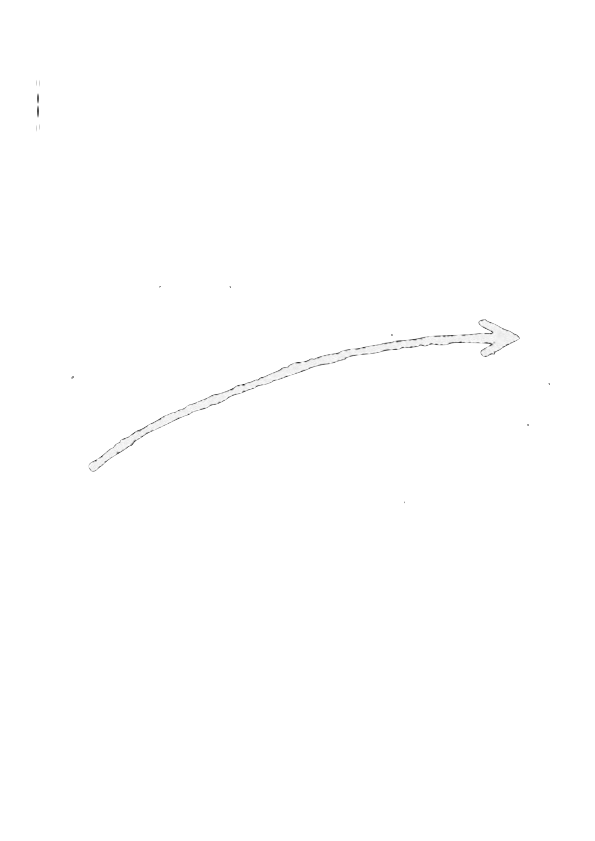
A simple way of compressing PDF files.
Developed from the ground up. And it’s open source too.
A cursor that doesn’t blink
Every tool is custom made. For example, the marker and cursor tool. At every decision we ask why things exist and try to make them simpler. We came up with a cursor logic to enable a cursor that doesn't blink.
Open Source
All components and the app itself are open source. Therefore, the basis of the app is transparent, and everyone can control the code. This is why the app respects your data and doesn’t collect it. Furthermore, the app cannot make any internet connection.
You can contact us if you need technical support for earth Feather.
You can import your LibreOffice and Word files.
Downloadable in the PlayStore, WindowsStore and Linux SnapStore only now for free.